Dănuț Florianpronounced /dəˈnuts/ · “duh-NOOTS”

Security training & native apps.

I’m Head of ATTACK Simulator, where our team builds a security awareness training platform used by more than 1,300 companies, along with its sister course NO Ransomware. I also build Mailburger, email marketing for small businesses, and small, private, native apps for Mac, iPhone, iPad and Apple Watch, and write about building them.

  • Head of ATTACK Simulator
  • 6 apps for Apple platforms & the web

ATTACK SimulatorThe appsRead the blog

My company

I’m Head of ATTACK Simulator. Our team also makes NO Ransomware.

ATTACK Simulator

Security awareness training with automated phishing simulations.

An innovative security awareness training platform that turns employees into a company’s first line of defence. Realistic attacks run on autopilot, every person’s risk is measured, and it plugs straight into the tools a company already uses.

  • 1,300+ companies enrolled
  • Recommended by Romania’s National Cyber Security Directorate (DNSC)
  • CCN-qualified for Spain’s ENS and listed in the CPSTIC catalogue

Visit attacksimulator.com

  • Automated simulationsPhishing and ransomware simulations that run themselves, reaching different people at different times.
  • Human riskBehaviour analytics and risk insight for every employee, so you see who needs help before an attacker does.
  • Deep integrationsMicrosoft 365 and Google Workspace sync, one-click reporting in Gmail and Outlook, and an open API.
  • Hundreds of templatesAround 600 phishing emails and 125 landing pages modelled on what real attackers send.
  • Training that sticksRole-based courses and short educational pills delivered the moment someone takes the bait.

NO Ransomware

Ransomware awareness training for every team.

A year-long ransomware course delivered straight to employees’ inboxes: short interactive lessons based on real threats, a quiz after each one, and progress reports for managers.

Visit no-ransomware.com

  • In the inboxLessons arrive by email, so nobody has to learn a new tool.
  • A year of practiceAn intensive first month, then one interactive lesson a month and a final recap.
  • Reports for managersTrack progress and performance across the team.
  • Built by ATTACK Simulator

The apps

Every Apple app: Native, built with SwiftUI · Processing stays on your device · No ads, no tracking.

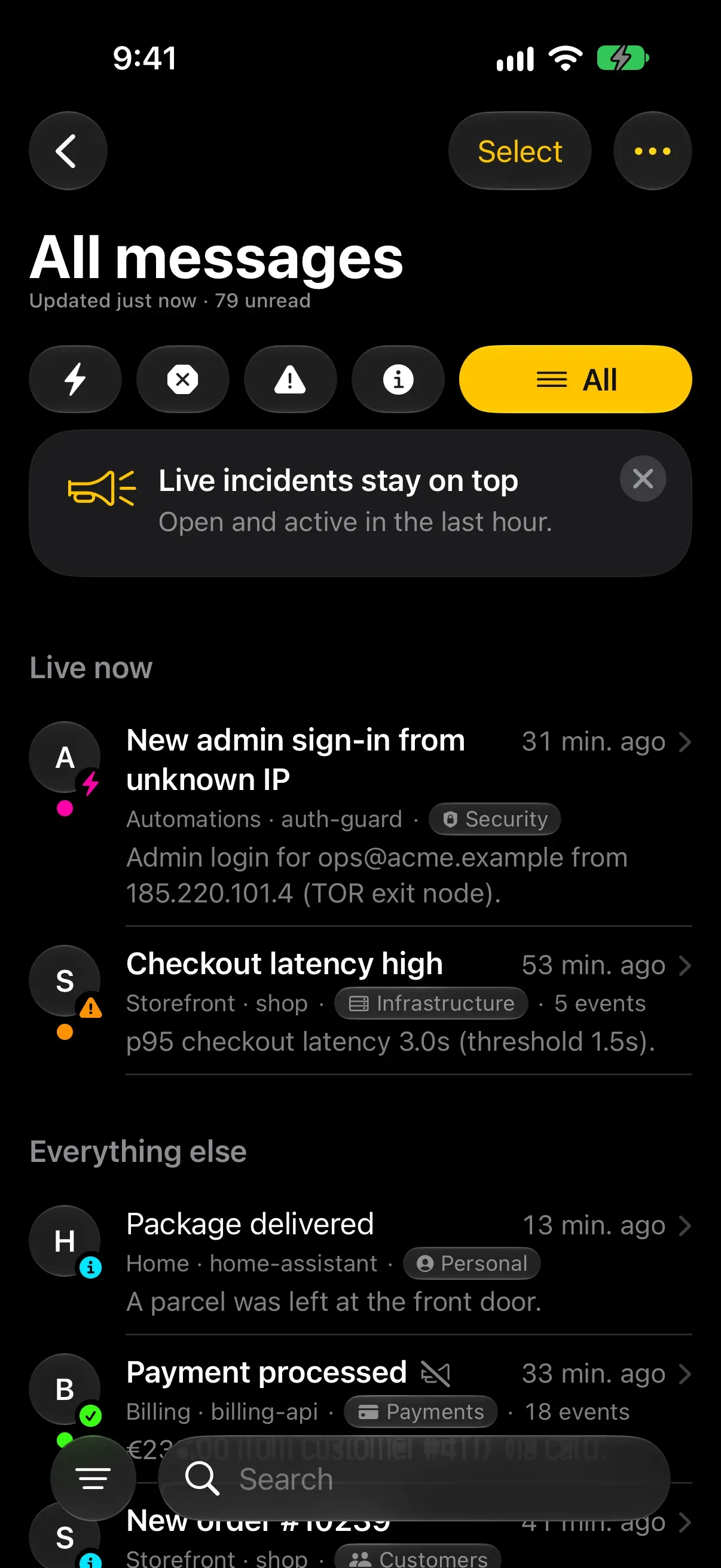
Honk! Honk! on iPhone: all messages, with live incidents on top
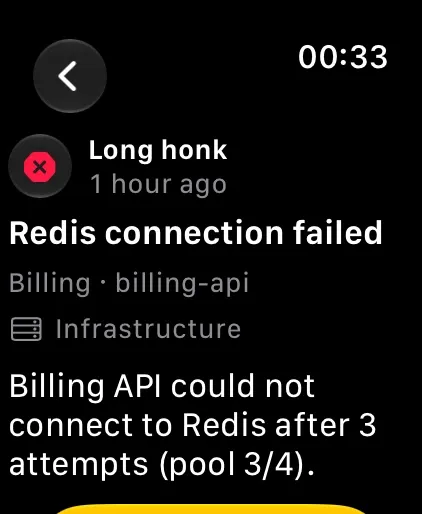
Honk! Honk! on Apple Watch: a long honk for a Redis connection failure

Honk! Honk!

iPhone · Apple Watch · WebComing soon

Push notifications for your website, shop and servers.

Honk tells you when something needs you: a new order, a quote request, a leak at home, a server in trouble. Repeats fold into a single push and everything else waits quietly in your inbox, on iPhone, Apple Watch and the web.

  • Smart groupingRepeats fold into one alert instead of thirty.
  • Five severity levelsFrom a light honk to a full blast, each with its own horn.
  • Quiet hoursThe first event pushes at once; non-urgent updates wait.
  • IntegrationsWordPress, WooCommerce, n8n, Zapier, Make, Home Assistant, Uptime Kuma and plain HTTP.
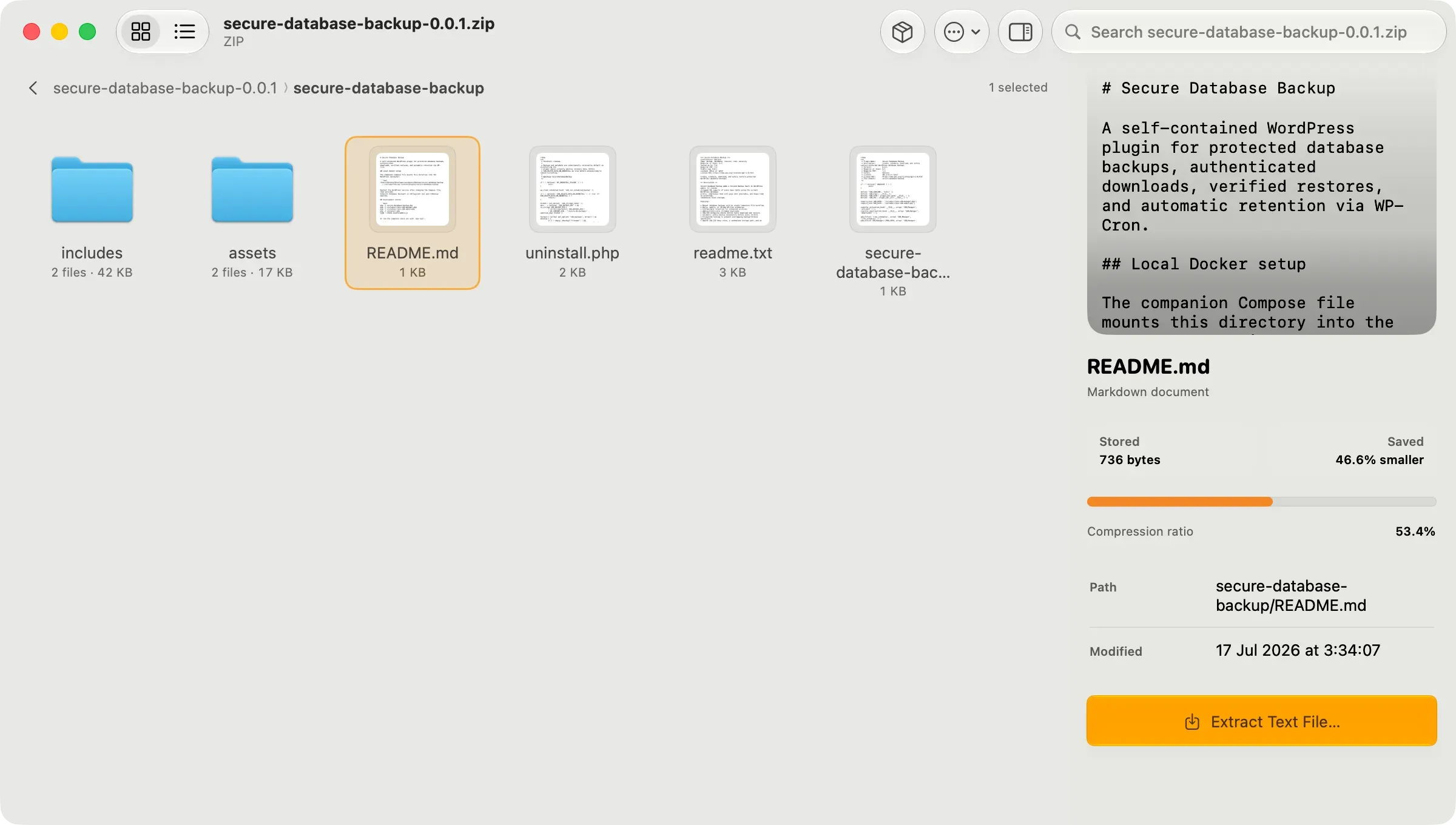
Pack on Mac browsing a ZIP archive with a file preview
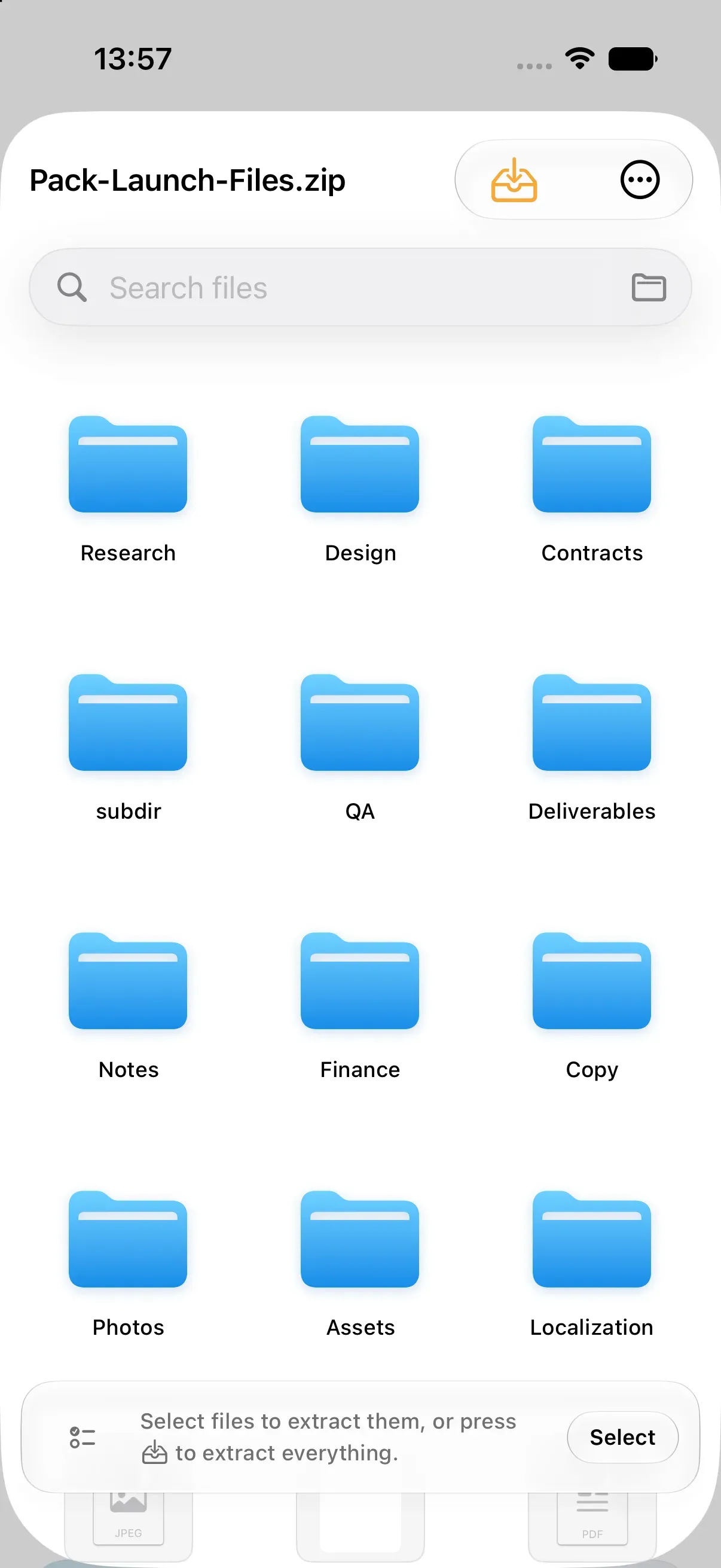
Pack on iPhone browsing an archive

Pack

Mac · iPhone · iPadComing soon

The missing Mac archiver.

Open, inspect, create, encrypt, split and extract archives on Mac, iPhone and iPad. 22 archive families, Finder and Quick Look integration, previews before you extract. Everything happens on your device.

  • 22 archive familiesZIP, 7Z, RAR, TAR, ISO, CAB and more. Browse and extract only what you need.
  • Preview firstLook inside files before you extract them.
  • Pack Pro7Z, TAR, GZIP, BZIP2 and XZ creation, AES-256 ZIP encryption and split volumes.
  • Finder and FilesQuick Look on Mac; Files, share sheet and widgets on iPhone and iPad.
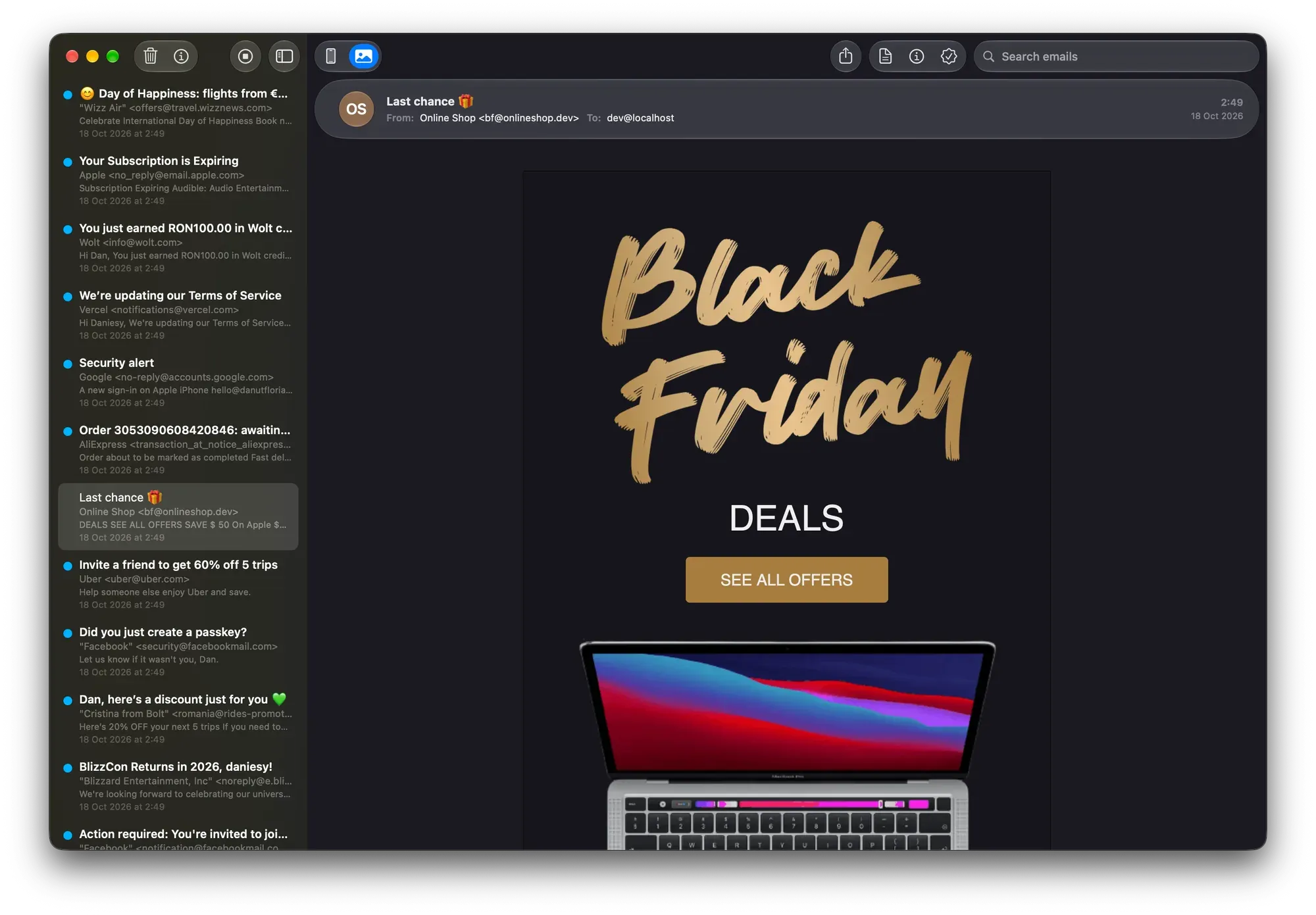
Mailbox showing a captured HTML email next to the message list

Mailbox

Mac

Your local SMTP server, made simple.

A native Mac app that runs local SMTP servers and catches every email your code sends, so nothing reaches a real inbox. Inspect HTML, headers and raw source, check compatibility across 22 email clients, and preview on a phone-sized screen.

  • Multiple serversRun several SMTP servers on different ports, each capturing on its own.
  • Email inspectorHTML render, plain text, headers and raw source side by side.
  • Compatibility checkTests your HTML against hundreds of features in 22 email clients.
  • Drop-in API replacementPoint SendGrid, Postmark, Brevo, Mailtrap, Mailgun or Resend calls at your Mac.
Mailburger app icon

Fresh campaigns, served daily.

Every send comes with a receipt.

No card needed.

Mailburger

Web

Email marketing that feels personal.

Newsletters, automations and campaigns on your own sending domain, made for small businesses. Design emails, grow your list and see what works, without the clutter.

  • CampaignsSchedule, pause and resume sends, and A/B test up to four versions.
  • AutomationsA visual canvas with splits, goals and waits, plus ten starter recipes.
  • Drag-and-drop editorResponsive blocks, your brand colours and reusable templates.
  • Segments and formsSelf-updating segments and embedded, hosted or pop-up signup forms.

Free · from €5/mo

Get Mailburger

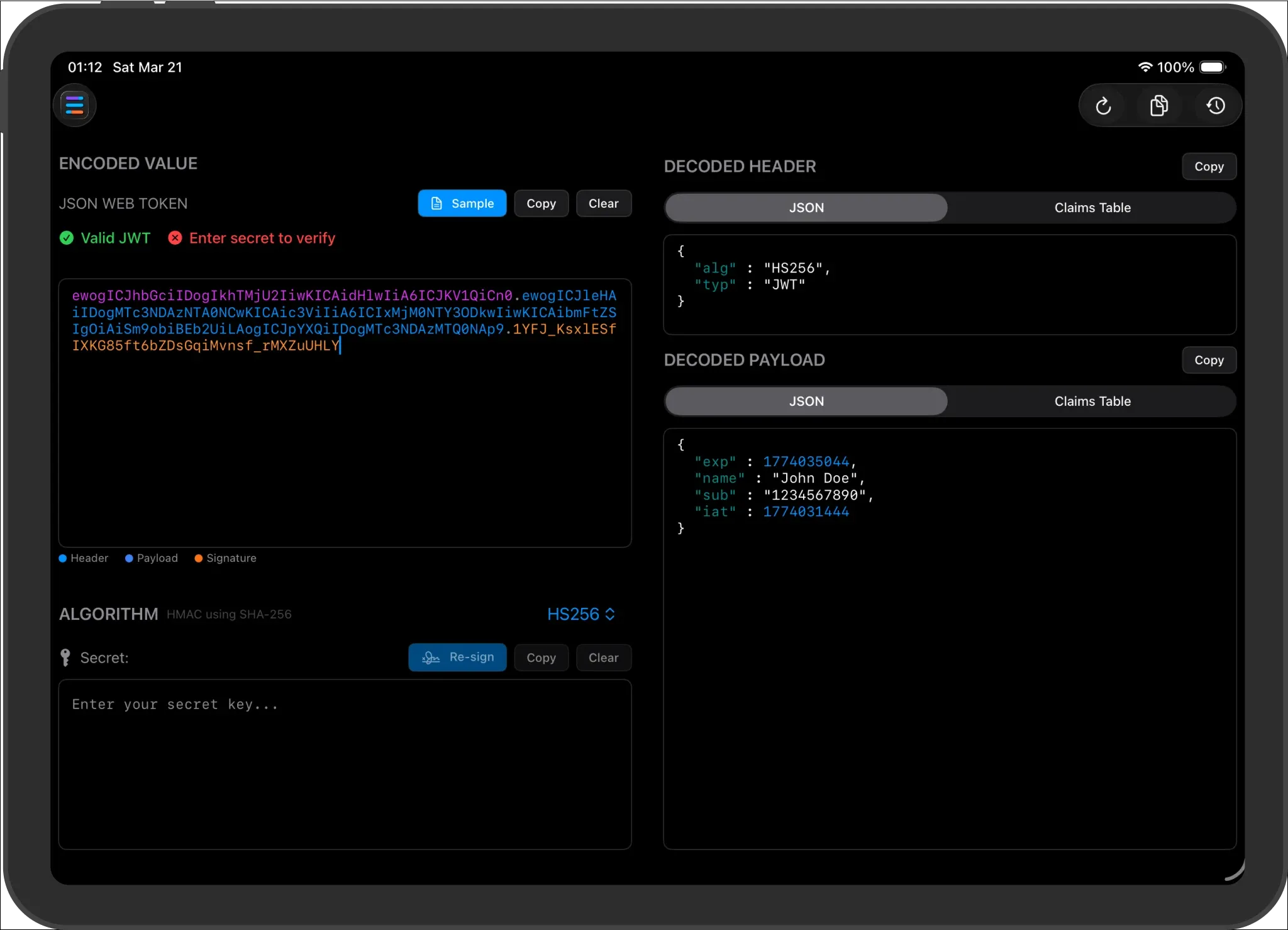
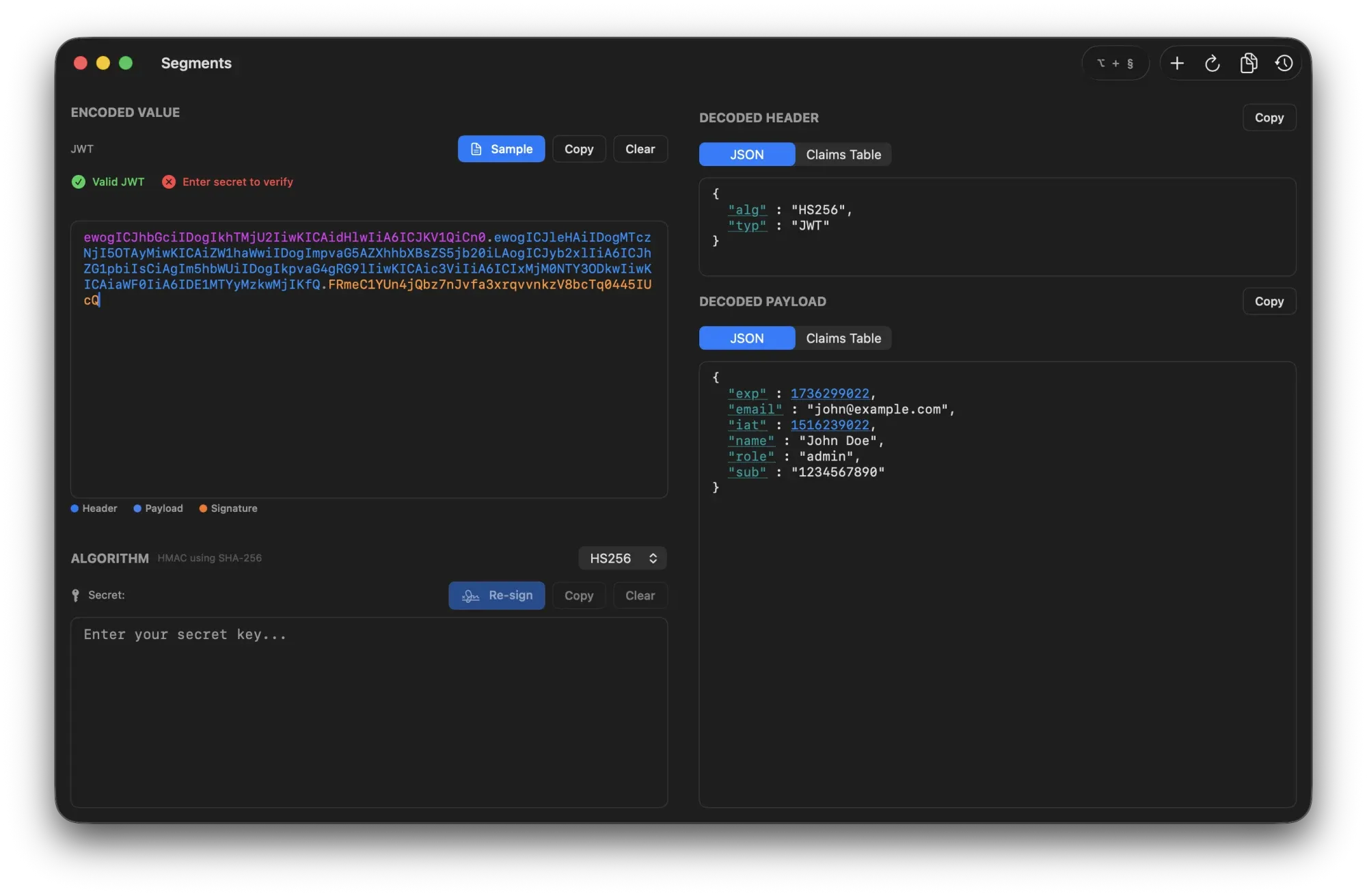
Segments on iPad with a decoded tokenSegments on Mac decoding a JSON Web Token

Segments

Mac · iPad

The privacy-first JWT tool.

Decode, verify and sign JSON Web Tokens on Mac and iPad. Tokens, secrets and keys never leave your device: no telemetry, no analytics, and it works entirely offline. Free, forever.

  • Instant decodingHeader, payload and claims the moment you paste a token.
  • Real-time verificationHS, RS and ES algorithms at 256, 384 and 512 bits, built on CryptoKit.
  • SigningCreate and sign new tokens with your own keys.
  • On-device namingOptional Apple Intelligence names your token history, locally.
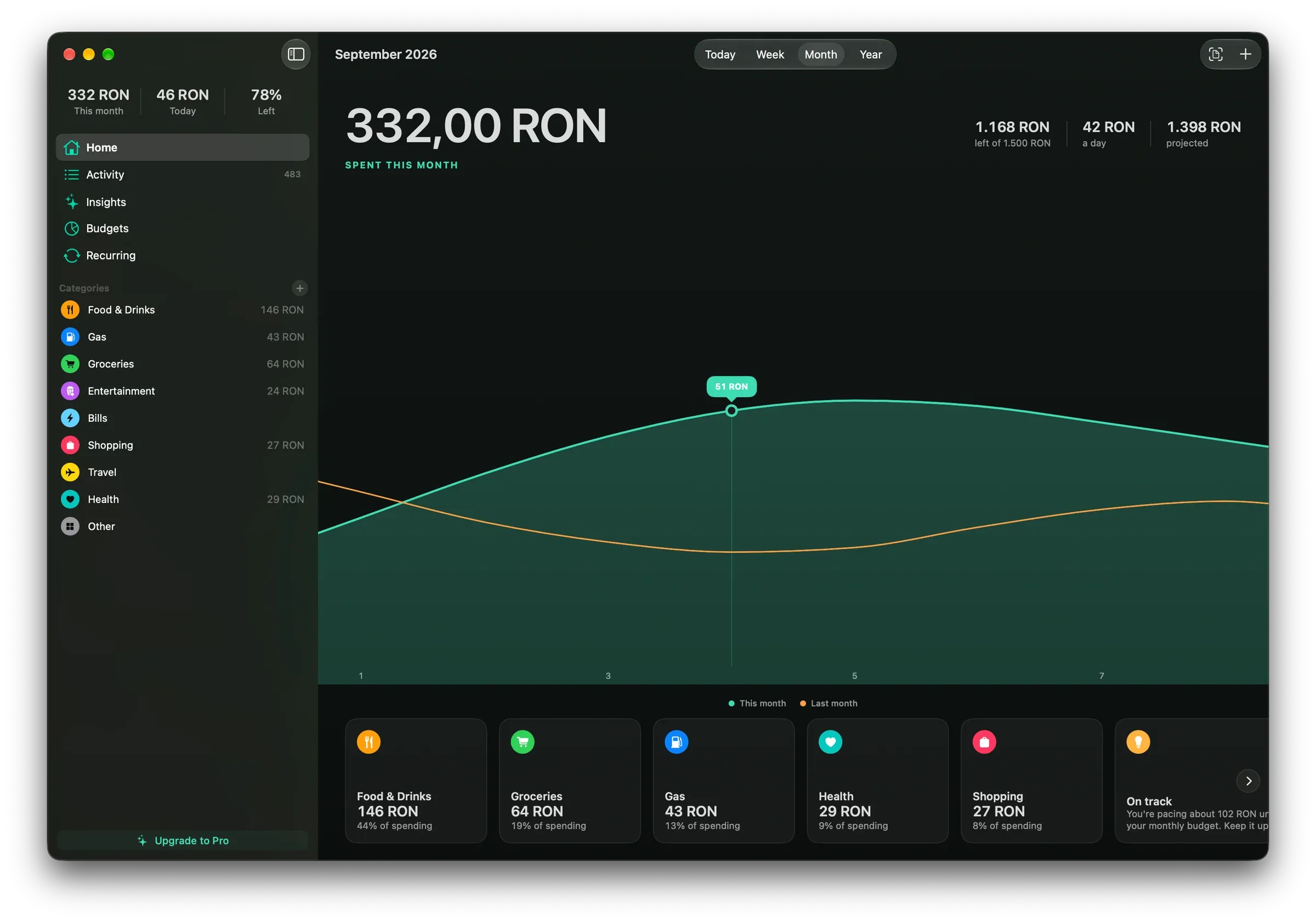
Spending on Mac showing a month of expenses against last month
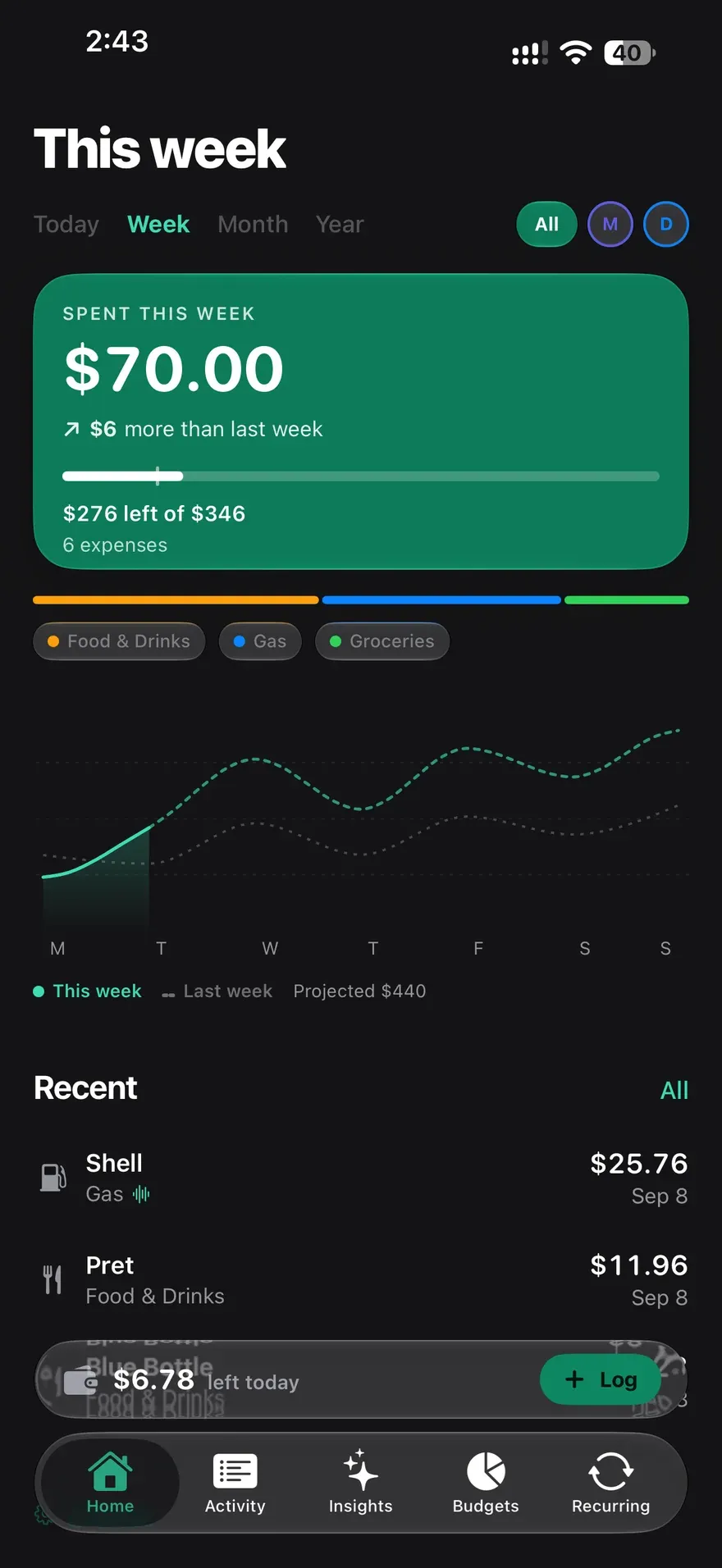
Spending on iPhone with this week’s spending and recent expenses

Spending

iPhone · iPad · Mac · Apple WatchComing soon

A little clarity. A lot more calm.

An expense tracker for the way your day actually works. Log with Siri, scan a receipt or enter an amount, and see your expenses, budgets and household in one clear picture on iPhone, iPad, Mac and Apple Watch.

  • CaptureTell Siri what you spent, use the quick-entry keypad or send a receipt from another app.
  • UnderstandDaily spending against last month, the biggest categories and the days that made the difference.
  • PlanA monthly budget that knows how much of the month is left, so you spot a fast pace early.
  • On-device AIReceipts become expenses and your history becomes a weekly recap, all with Apple Intelligence on device.

Free · Spending Pro

Coming soon · Visit site

From the blog

Release notes, how-tos and the occasional opinion.

All posts